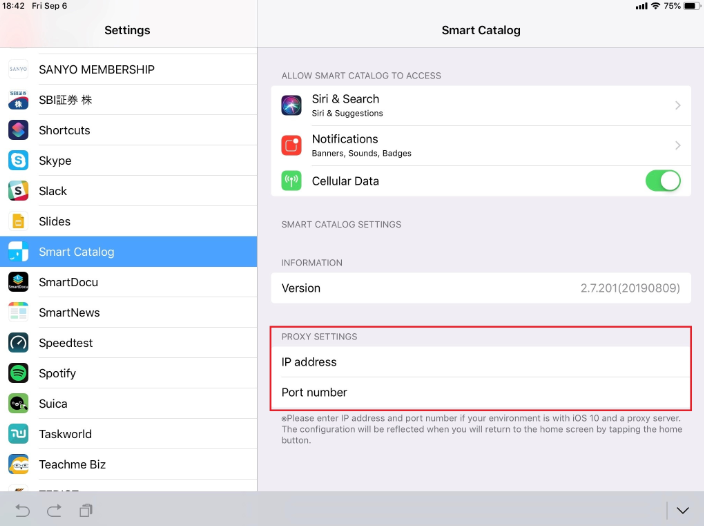
When you use iOS 10 or later, AND your communication is via a Proxy, it may not be able to communicate with SMART CATALOG server.
When you encounter such a case, please configure the IP address of the Proxy in accordance with following guidance.
①Make sure your SMART CATALOG application is ver. 2.4.100 or later. If your application is not 2.4.100 or later, please update your SMART CATALOG application at App Store.
②Open the Settings for iPad.
③Select “SMART CATALOG” app at Setting Screen.
④Configure the IP address and the port number of the Proxy.
⑤Tap “Home” button once, or close the software keyboard.